
Sirène
Native Markdown & Mermaid for macOS
Read and write Markdown beautifully on your Mac, with live Mermaid diagrams, instant preview, tabs, and AI-assisted editing.
Download for macOS See it in action Requires macOS 14 or later
Native Markdown & Mermaid for macOS
Read and write Markdown beautifully on your Mac, with live Mermaid diagrams, instant preview, tabs, and AI-assisted editing.
Download for macOS See it in action Requires macOS 14 or laterA focused, native reading and writing experience, with none of the Electron weight.
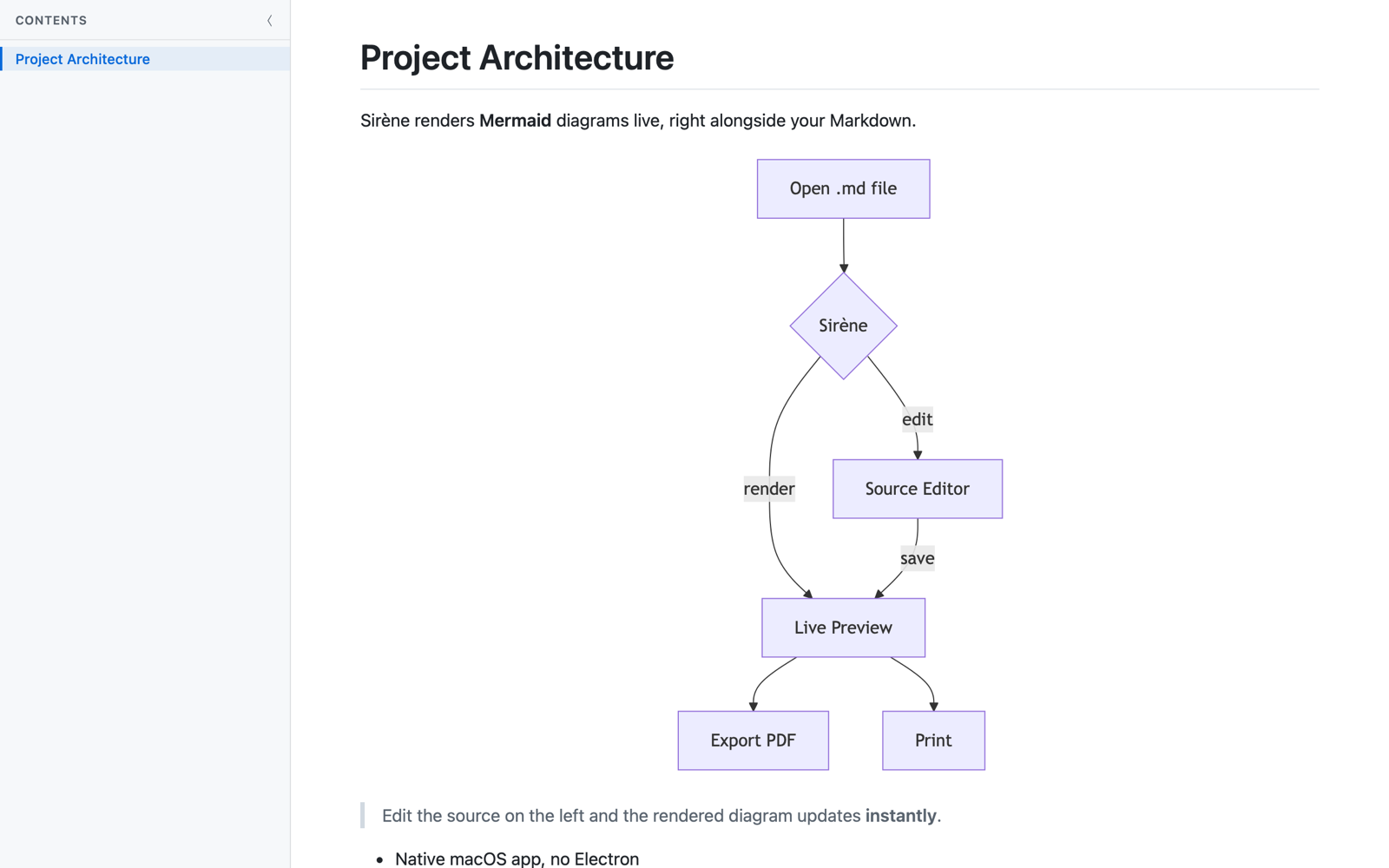
Flowcharts, sequence diagrams, Gantt charts and more render the moment you open or edit a file.
Toggle between crisp GitHub-style preview and raw Markdown source with a single keystroke.
Change a file in any editor and Sirène updates instantly. Atomic saves are handled cleanly.
Open many documents in native macOS tabs and pick up right where you left off after a relaunch.
A Table of Contents sidebar and in-document search make long documents easy to navigate.
Print or save to PDF with proper formatting and rendered diagrams fully intact.
Your Markdown, rendered faithfully, diagrams and all.
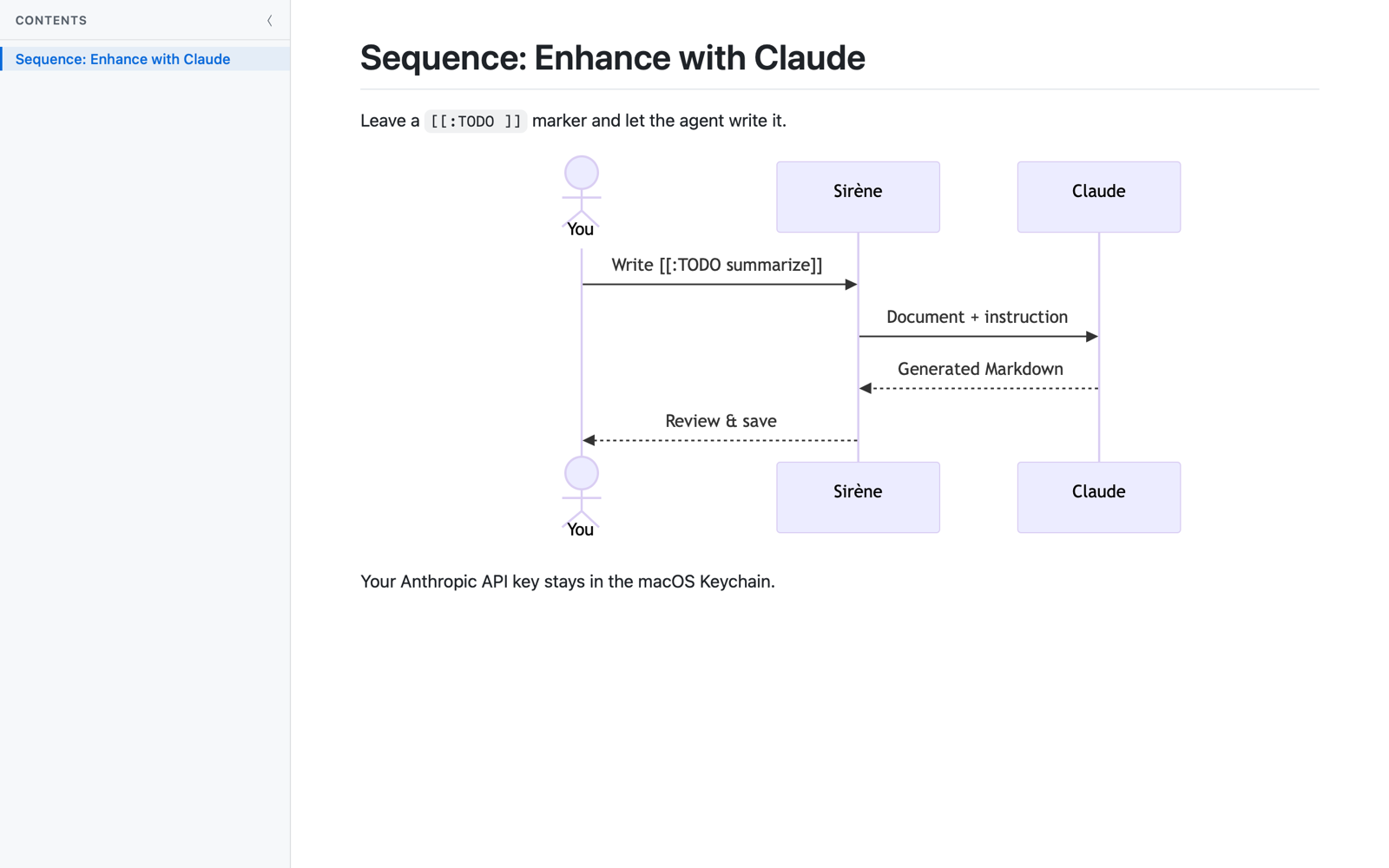
Leave a marker like [[:TODO write an introduction]] and run Enhance to have Claude write it, in your document's own tone and structure.
This feature is entirely optional and uses your own Anthropic API key, stored securely in your macOS Keychain. Document content is sent to Anthropic only when you choose to run Enhance.
A fast, native Markdown reader and editor for macOS.
Download on the Mac App Store Requires macOS 14 or later